
A text editor, mostly.
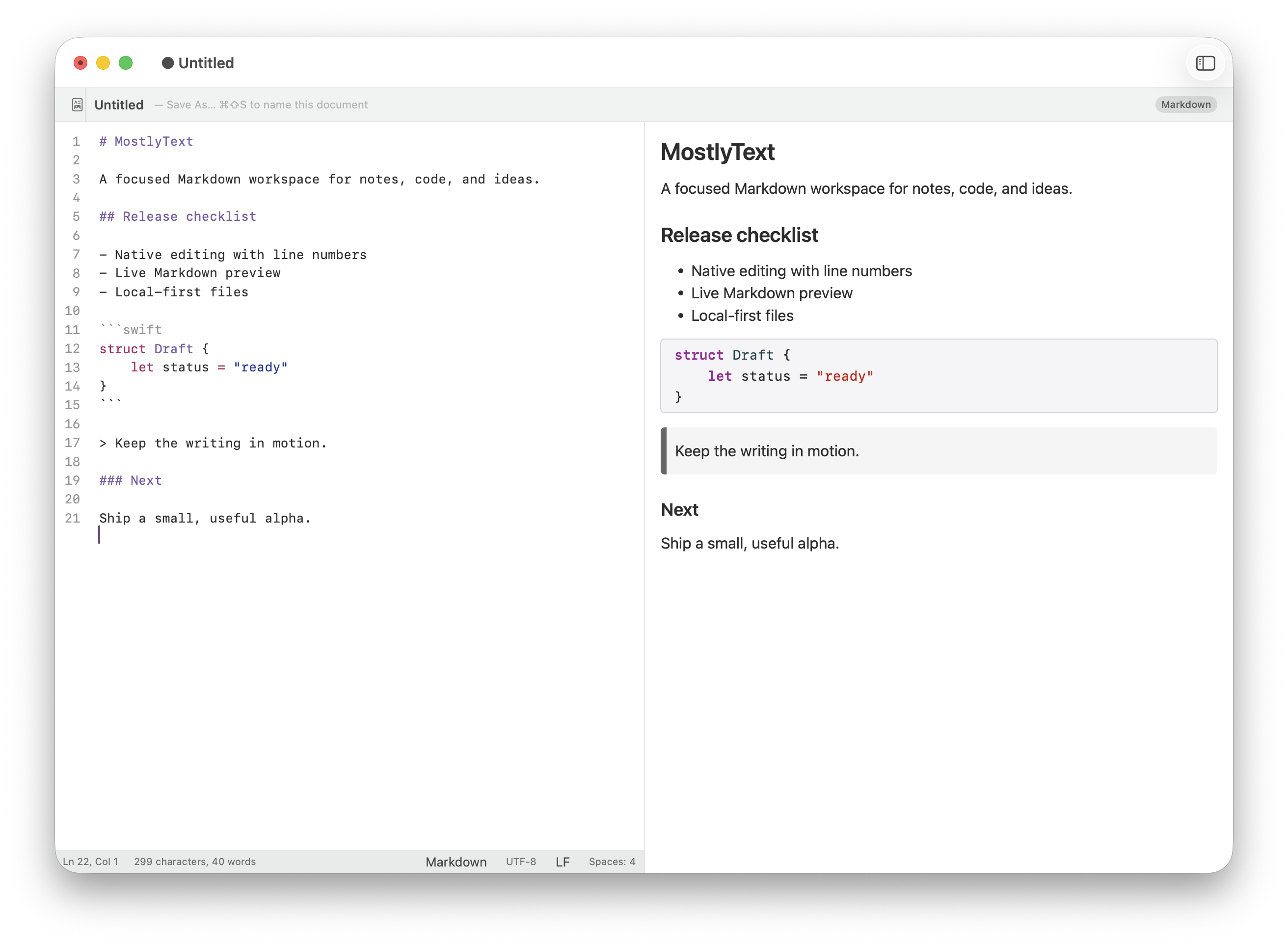
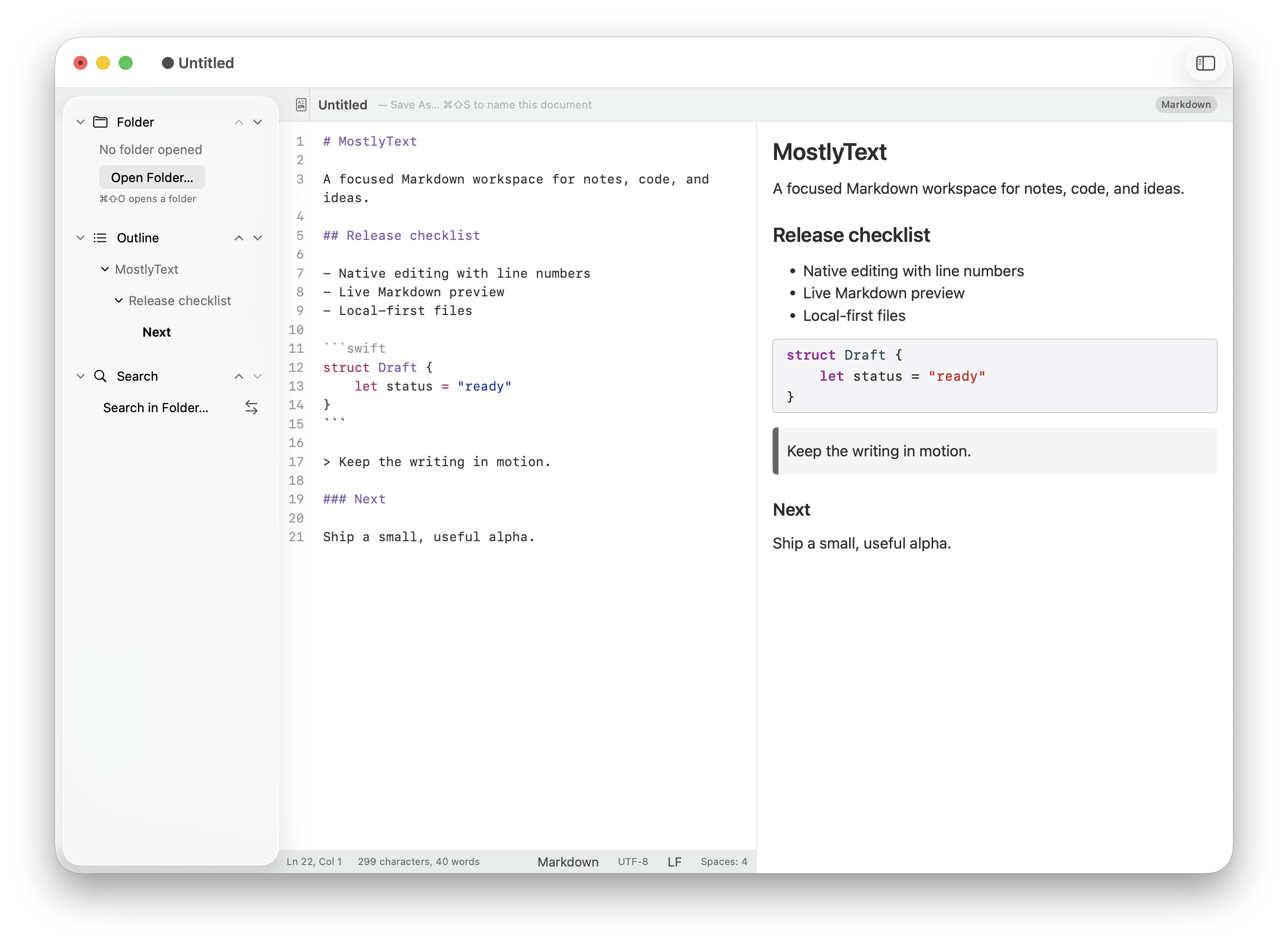
The Markdown source, with line numbers. 1 of 3
For the note, the README, the idea that needs room. A native Mac editor for text and Markdown, with more there when you need it.
No ready-to-install app yet. Use copies of documents while testing.
Where it began
MostlyText began with MacDown’s side-by-side layout: Markdown on the left, the page it makes on the right.
When MacDown was retired, I wanted to keep that shape and give it a more native Mac feel.
The file stays a Markdown file, in the folder or repository where it already lives. Open it from Finder, or press Command-P and type part of its name.
The heading outline sits beside it, so a long README becomes a list of places to go. See what’s planned.
Type a line of Markdown
notes.md
Release notes
Change the line, or pick an example. Try a list item, some bold and inline code.
The live preview needs JavaScript. Without it, this shows how the starting line renders.
README.md
# Release notes

MacDown 2 keeps your Markdown as it is.

## Before you build

- Install Xcode 26
- Run XcodeGen, then open MacDown 2

```mermaid
graph LR
  Write --> Preview --> Export
```
Release notes
MacDown 2 keeps your Markdown as it is.
Before you build
- Install Xcode 26
- Run XcodeGen, then open MacDown 2
graph LR
Write --> Preview --> ExportMore when you need it
Source and page, side by side.
Write Markdown with syntax highlighting and read the rendered page beside it. Headings become an outline you can jump through.
A name changed. Everywhere.
Literal find and replace, regular expressions, multiple cursors, and search and replace across a folder.
That box needs an arrow.
Keep Mermaid, D2 or Graphviz source beside the explanation. Diagram and math rendering are in the development build.
Light or dark.
Light and dark themes for the editor and the preview, so a long night with a README is easier on the eyes.
Please send a PDF.
Export HTML for a browser or PDF for a fixed copy, and keep the Markdown beside it. Self-contained HTML is in development, with limits.
20 of 37
work areas in the 1.0 plan are merged, not yet verified for release.
What works, what’s next
The 37 are every work area in the 1.0 plan, including the 7 release steps, of which 1 is done. Counted from the epic index and release records at commit a2fe530, a snapshot of 15 October 2026; later work isn’t reconciled yet. “Merged” is the Implemented status in those records.
To 1.0
- Write, find and organise11 of 12 merged
- Explain the technical work7 of 9 merged
- Feel at home on a Mac1 of 4 merged
- MacDown 2 becomes MostlyText5 still ahead
- A verified release1 of 7 merged
After 1.0
- Make everyday work better1.0.x to 1.4
- Richer ways to work1.5 to 1.10
- Let real workflows leadNo version yet
Questions
Can I download MostlyText now?
A source-only testing alpha is available with build instructions. There is no ready-to-install app, DMG or CLI download yet. The latest development code is in the MostlyText application repository; historical alpha downloads remain on the original release page.
Which Macs does it run on?
The verified build instructions need macOS 26 or later, Apple Silicon, Xcode 26 and XcodeGen. Final compatibility is set by each release, so check the release notes for the build you use.
Why do I still see MacDown2.app?
Current development source uses the MostlyText display name and the mostlytext command. The internal MacDown2.app filename and the older alpha’s MacDown 2 identity remain while packaging and installed-data migration are verified. The repository move does not mean a 1.0 release.
What files does it work with?
Markdown first, plus plain text, HTML, JSON, YAML, TOML and several code formats in the current format registry. That list is development evidence, not a final support matrix.
Do I need to import my documents?
No. A file stays a file in the folder or repository where it already lives. Open it from Finder, or from the folder sidebar.
Where do I ask for help or report a problem?
Read the release notes first, then use the repository's issues page for reproducible problems. No response time is promised.
Is it open source?
MostlyText’s application source is under the MIT licence, preserving MacDown’s copyright and attribution. The application repository contains the licence and third-party notices. Verification of the final release artifact is still open.
The alpha is ready to build.
Version 0.1.0-alpha.1 is source code with build instructions: macOS 26 or later, Apple Silicon, Xcode 26 and XcodeGen. Your build is unsigned and opens as MacDown 2. Signed downloads come later, and 1.0 is still ahead.
No ready-to-install app yet. Use copies of documents while testing.